Adel Labs · Design, engineering & applied AI

Digital products.
Private AI.Interactive research.

Commission a brand, website or app; turn technical work into interactive tools; or equip your team with AI workflows built around its documents and tasks. From business dashboards to research workspaces, each project is developed around how you will use it.

Keep confidential research on your own hardware with a private AI workspace, optional unrestricted models configured to reduce refusals, and offline operation tested before handover.

Defined scope · Source files and operating notes.

ResearchDesignEngineeringUnrestricted models →
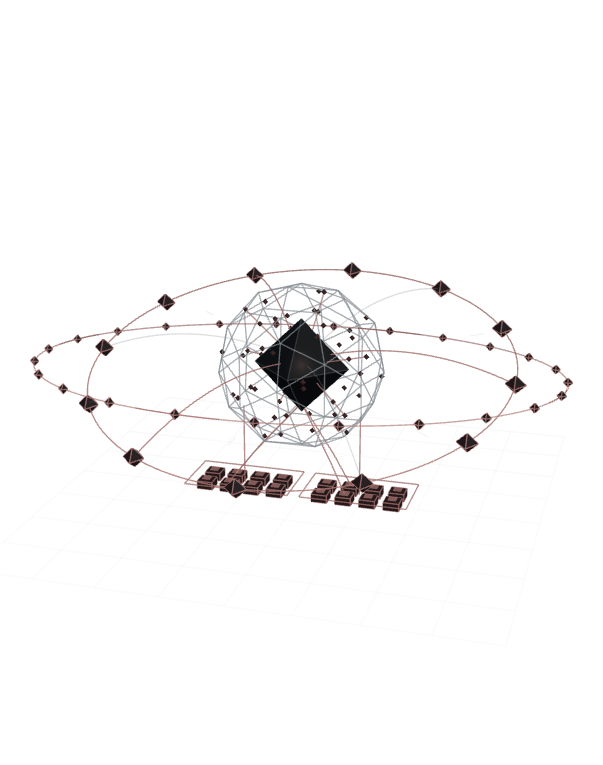
Orbital schematic connecting research, design, engineering and applied AI around a digital product.

Digital Products

Research, design and engineering, with AI where it helps.

Drag horizontally or use the left and right arrow keys to rotate. Home resets the view. Select a capability to highlight its contribution.

Selected work · Five disciplines

Explore the projects

Open a working example, inspect its recording or explore the complete collection.

Explore all 32 projects →

01 / Collection

Websites & Brands

Brand identities, company websites and digital storefronts.

View collection · 7 projects →

4 selected projects

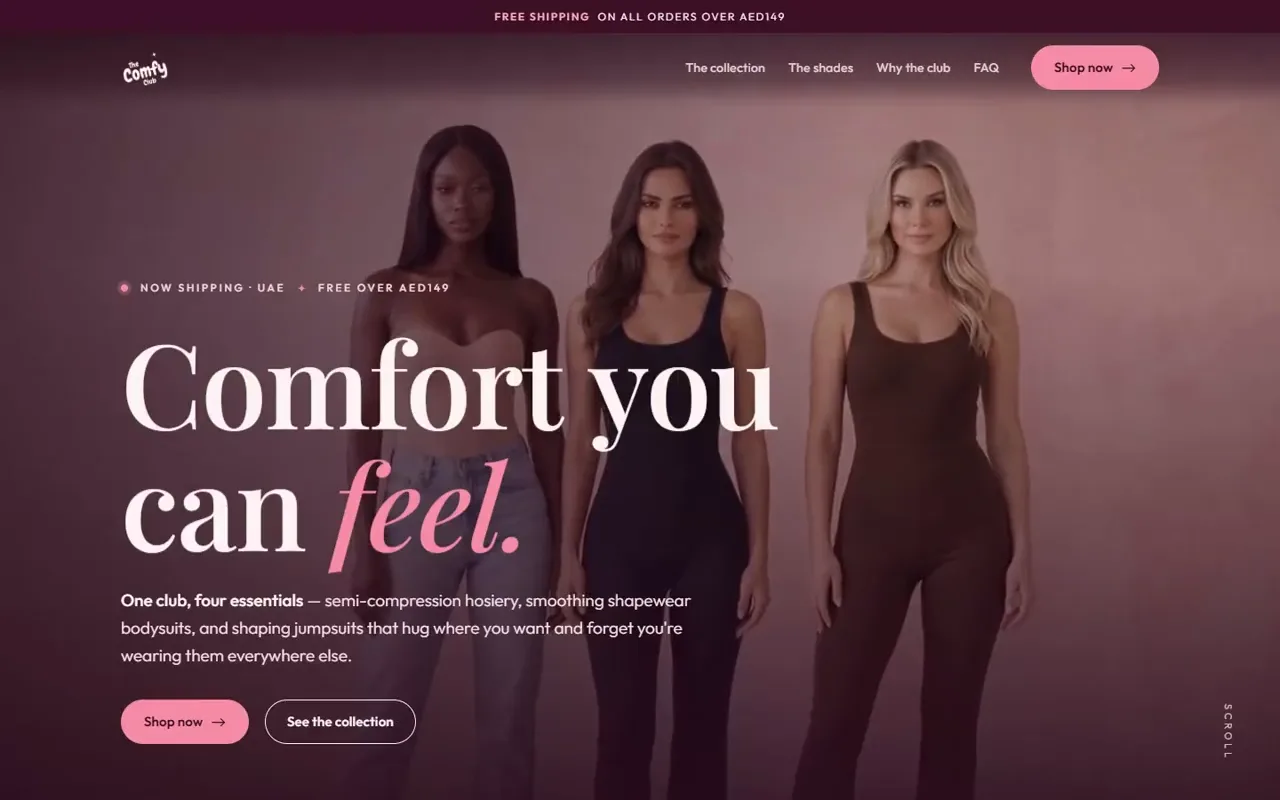
The Comfy Club storefront with three models, the opening headline and collection controls.

Brand, website & social content · Client work

The Comfy Club

A coordinated website and social content system for a UAE hosiery and shapewear brand, extending its established identity across product pages, campaign imagery, Instagram posts and carousels, reels and outfit edits.

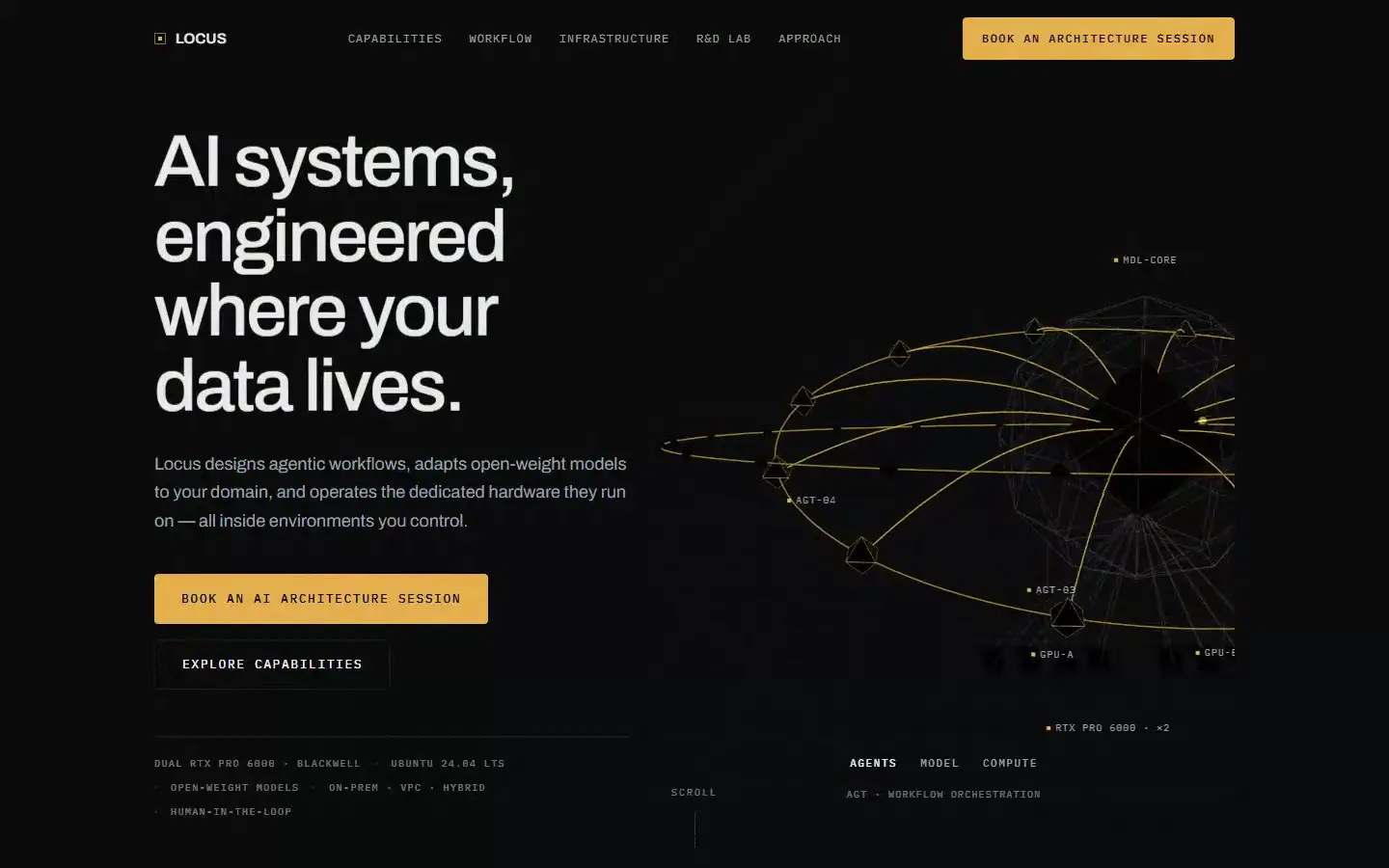
Locus website with its architecture diagram linking agents, models and compute beside the opening proposition.

Website · Infrastructure studio

Locus

A website for an infrastructure studio, with a 3D architecture scene and a lab of engineering field notes.

Mohamed Melehi painting in the foundation website's opening film.

Client work · Art & culture

Fondation Melehi

A trilingual review website for the foundation preserving the legacy of Mohamed Melehi (1936–2020), connecting biography, chronology, bibliography, archives and exhibitions.

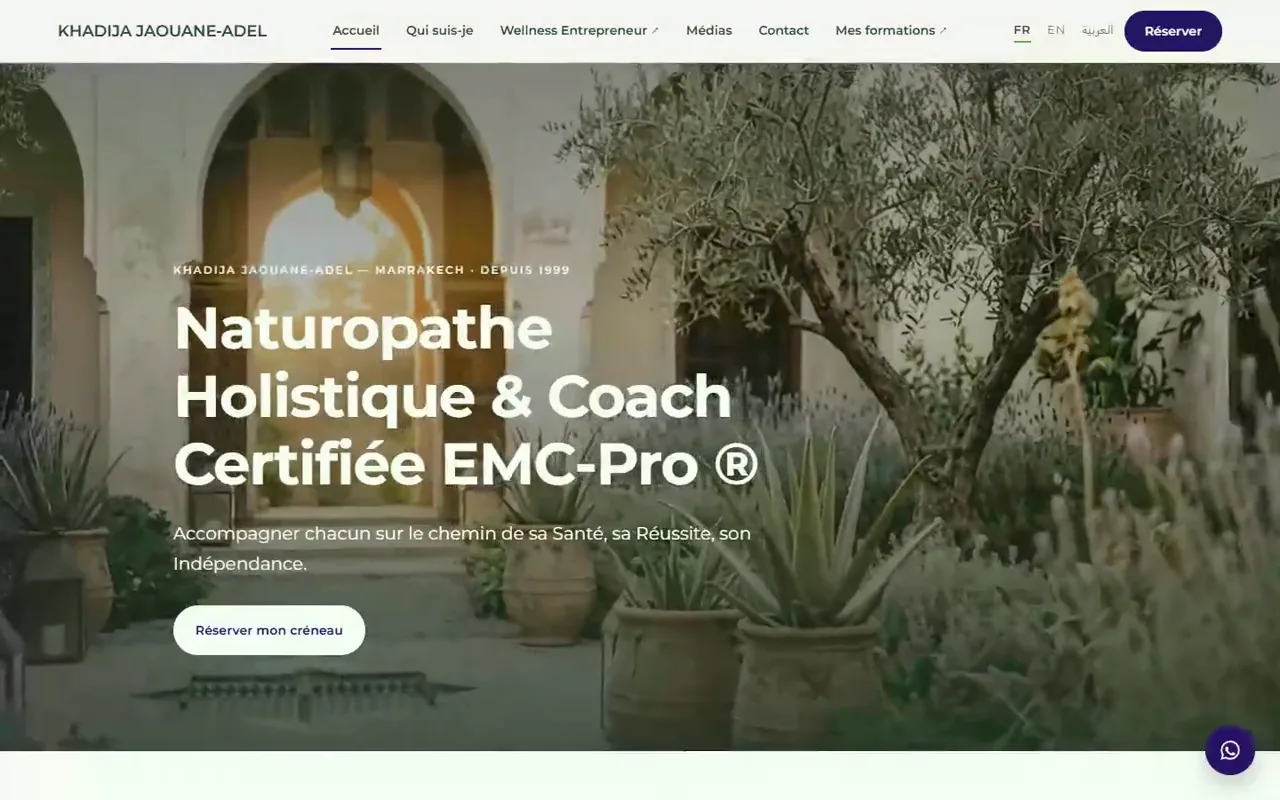
Khadija Jaouane-Adel website with its courtyard film, French introduction and appointment action.

Client work · Personal brand

Khadija Jaouane

A trilingual French–English–Arabic hub for a Marrakech naturopath and certified coach.

02 / Collection

Digital Products

Personal applications for documents, planning and business decisions.

View collection · 8 projects →

4 selected projects

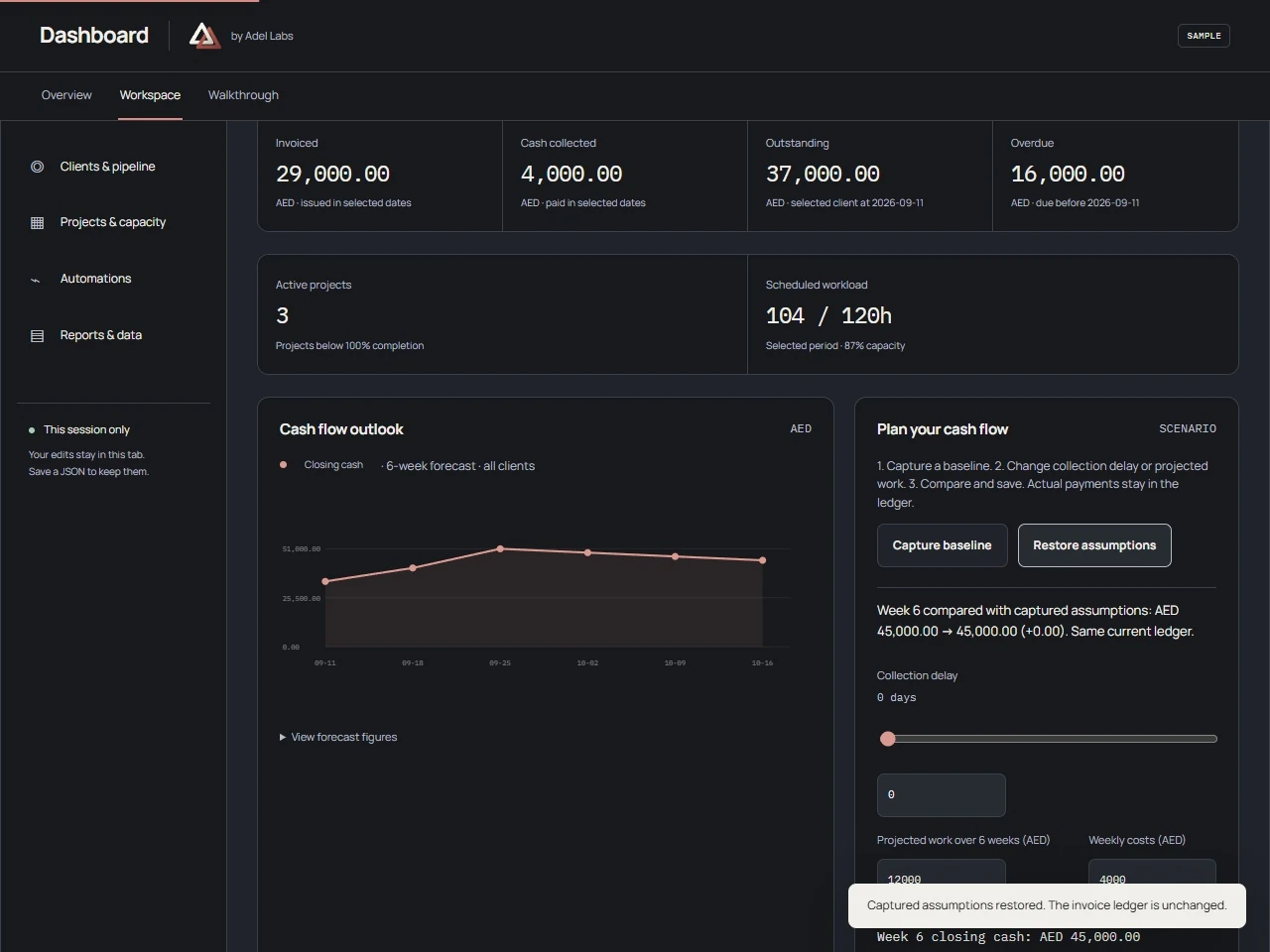
Dashboard opening page with the LINK header and the public SAMPLE business overview.

SAMPLE demo · Business overview

Dashboard

Explore a SAMPLE service business: cash scenarios, invoice payments, client stages, weekly capacity and validated CSV/JSON import and export.

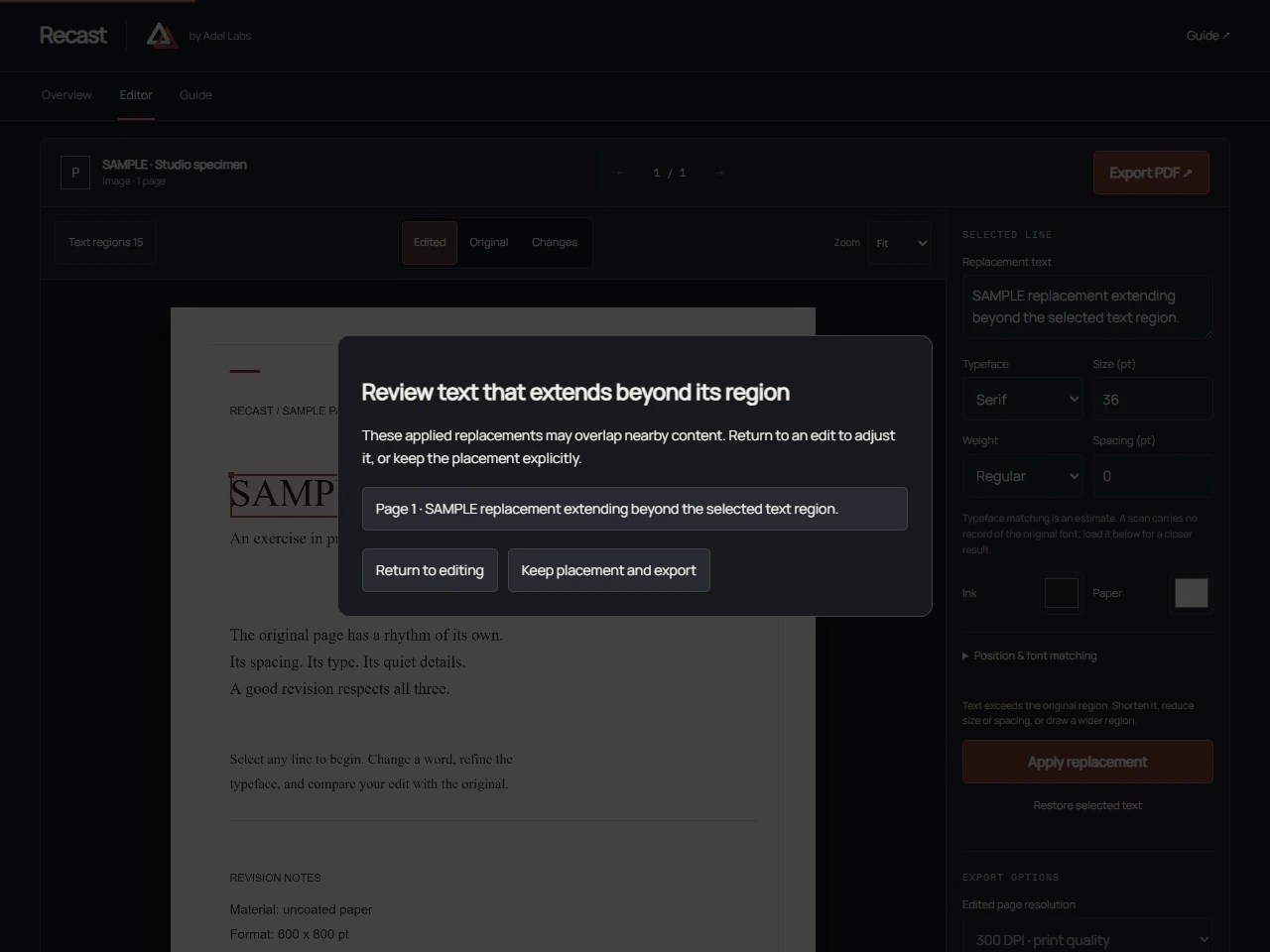
Recast SAMPLE document with a selected heading, replacement controls and the edited-page comparison.

Personal product · PDF Text Studio

Recast

Change or add text on a PDF or scanned page. Import files, recognise text in English, French or Arabic, review edits and export at print resolution.

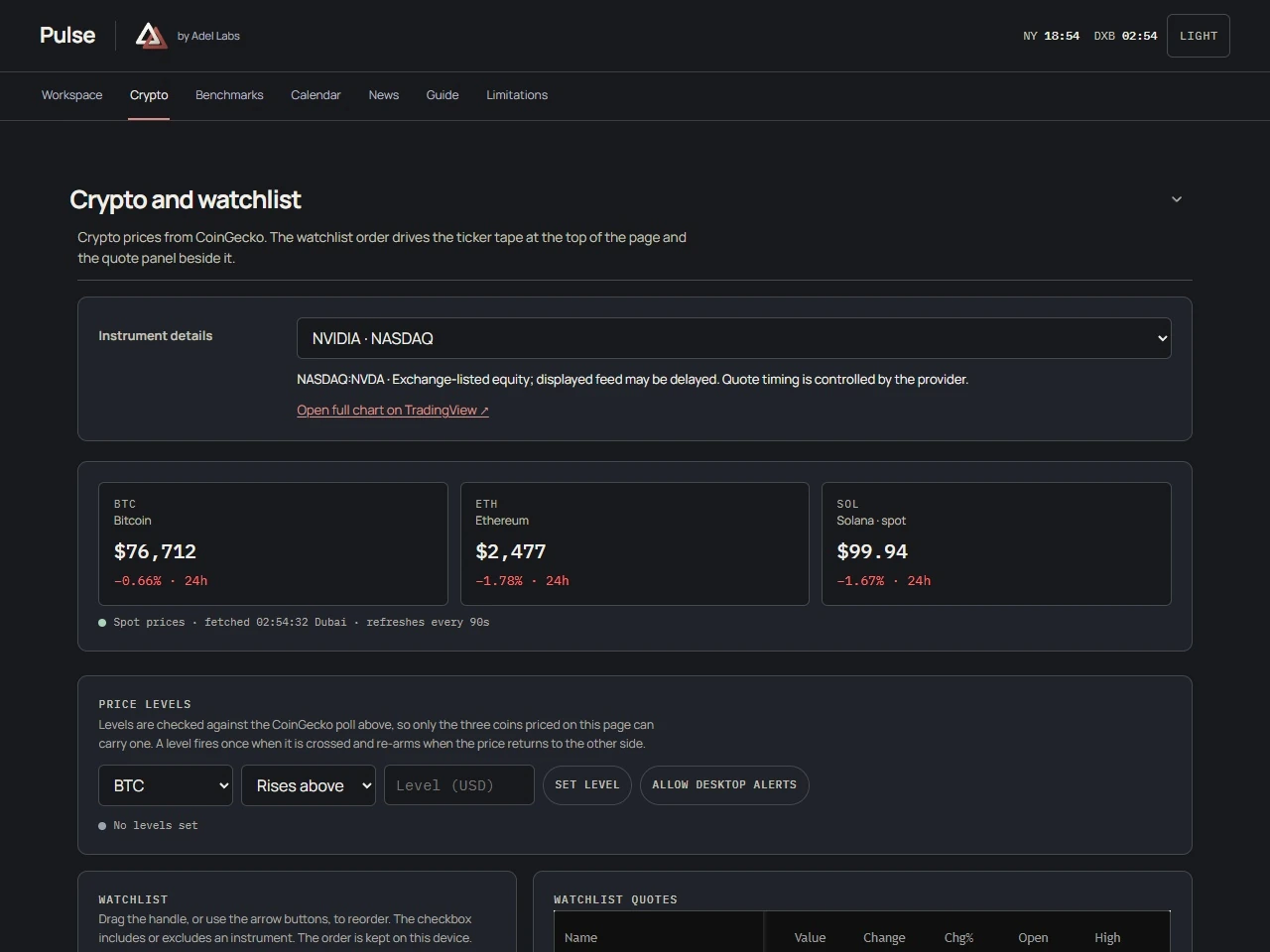
Pulse market workspace with its session globe and SOL/USDT chart; the recording is a public-data snapshot.

Personal product · Markets Terminal

Pulse

Scheduled exchange sessions, provider charts, watchlists, economic and earnings calendars, and news in one browser workspace.

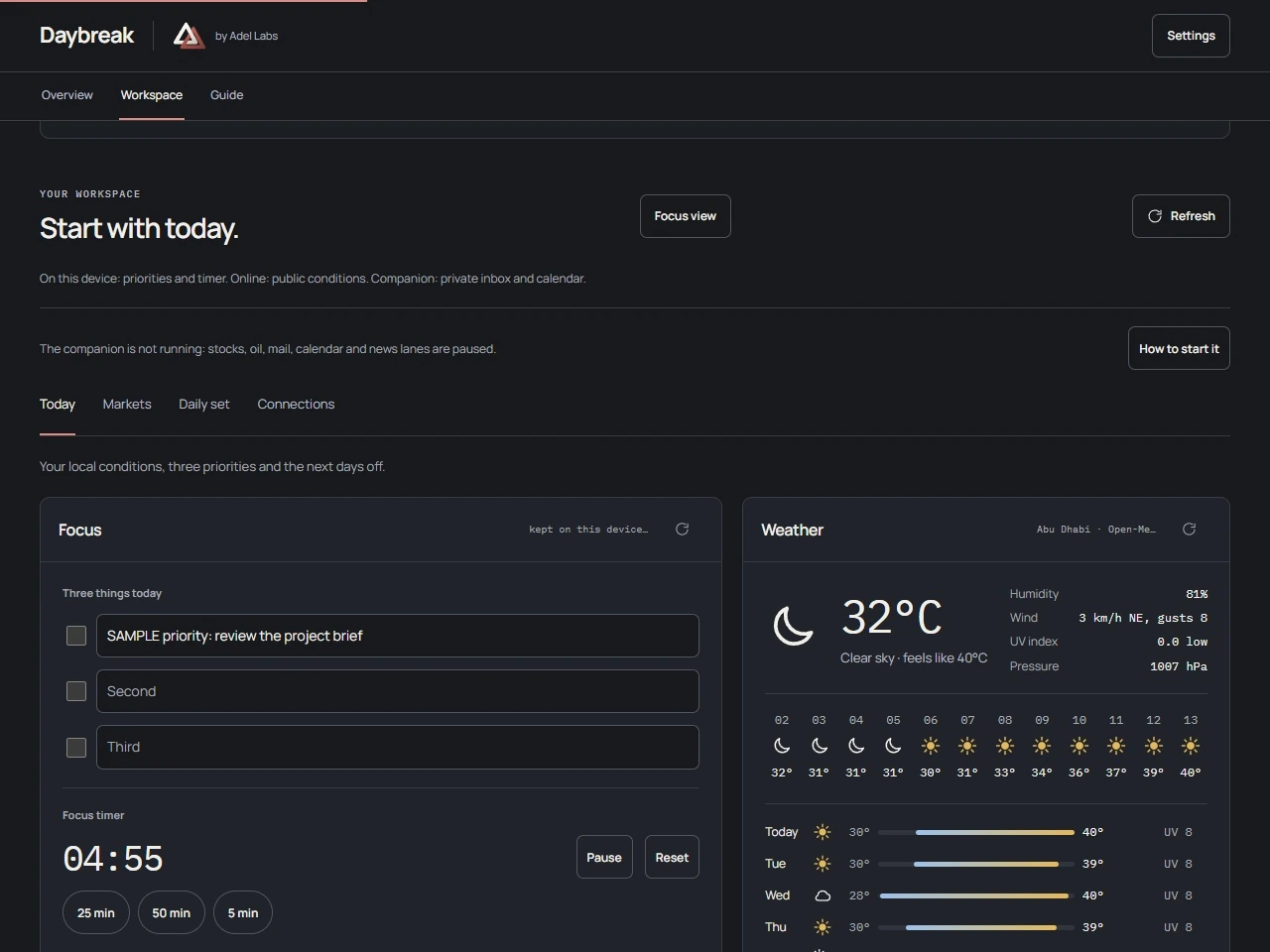
Daybreak Today workspace with weather, a focus timer and the Today, Markets, Daily set and Connections tabs.

Personal product · Daily planning

Daybreak

A personal dashboard for the clock, local conditions, focus tasks, market readings and daily activities, with four navigable views.

03 / Collection

Research

Research you can inspect and explore.

Explore chemical and gas EOR through interactive studies, live scenario calculations and source publications. Adjust model parameters to compare outputs, inspect the assumptions, and follow the supporting manuscripts, data workbooks and presentations available with each study.

View collection · 9 projects →

4 selected projects

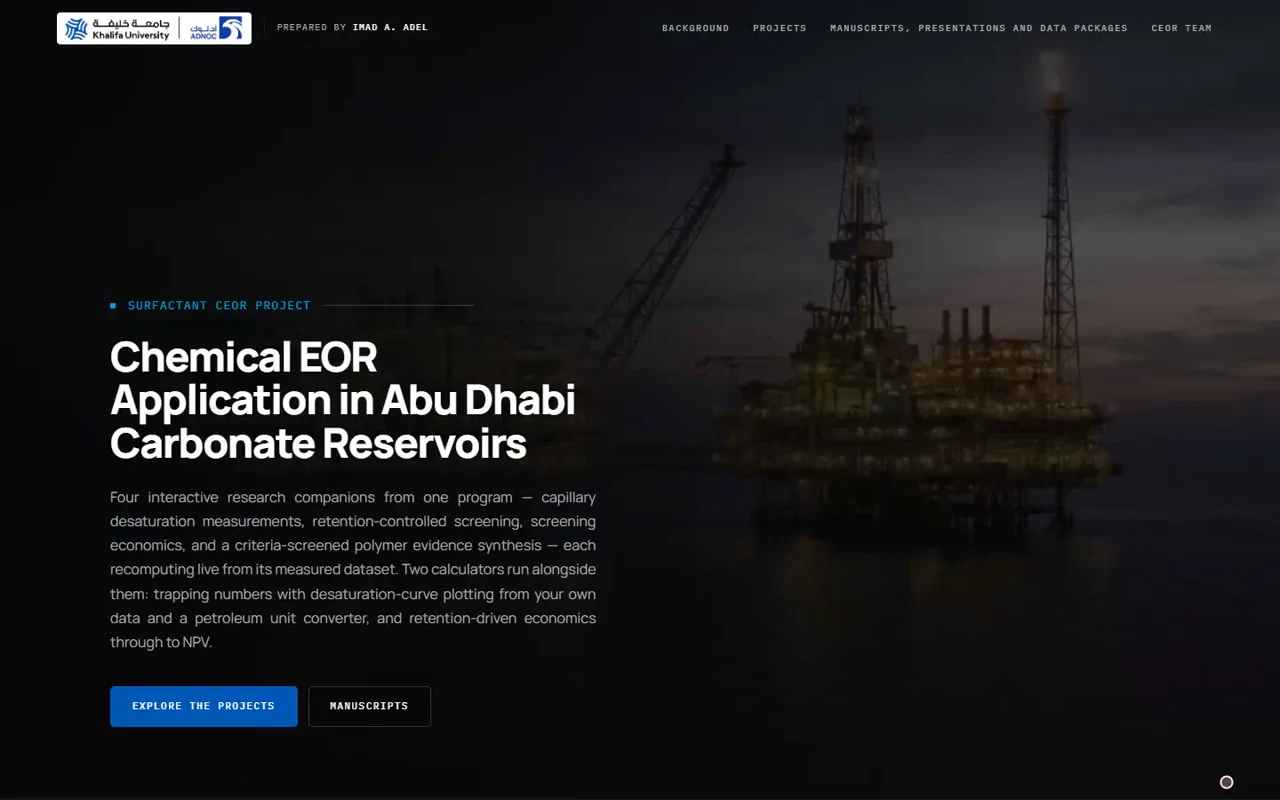
Surfactant CEOR Project opening page with an offshore-platform film and the carbonate-reservoir research introduction.

Program hub

Surfactant CEOR Project

Explore surfactant recovery in carbonate reservoirs through capillary desaturation, retention screening and economics. Compare live scenarios, then inspect the supporting manuscripts, data workbooks and program presentations.

Institutional research · Khalifa University / ADNOC

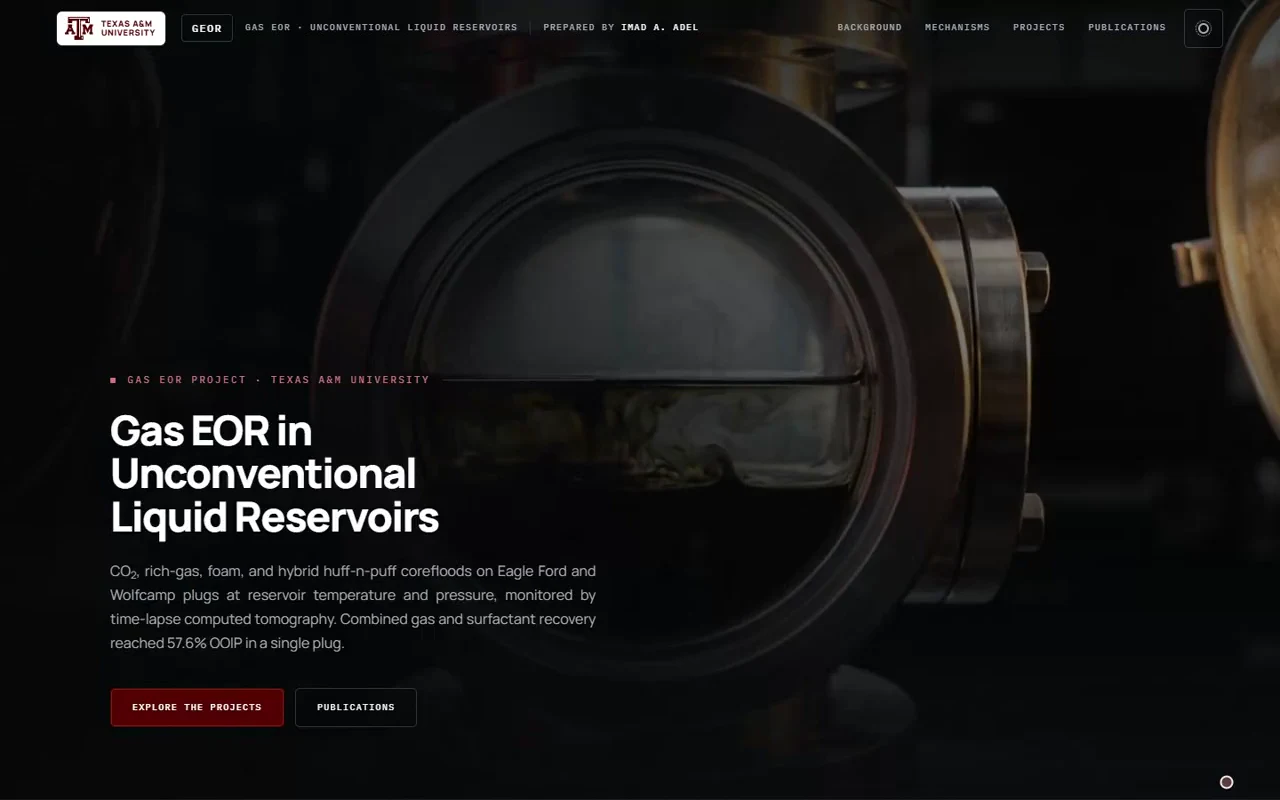
Gas EOR Project opening page with a circular laboratory-apparatus film and the unconventional-reservoir research introduction.

Program hub

Gas EOR Project

Explore gas recovery in unconventional reservoirs through miscibility, operating pressure, gas composition, foam and hybrid recovery. Adjust scenario inputs, compare calculated outputs and follow the published papers behind each study.

Institutional research · Texas A&M University

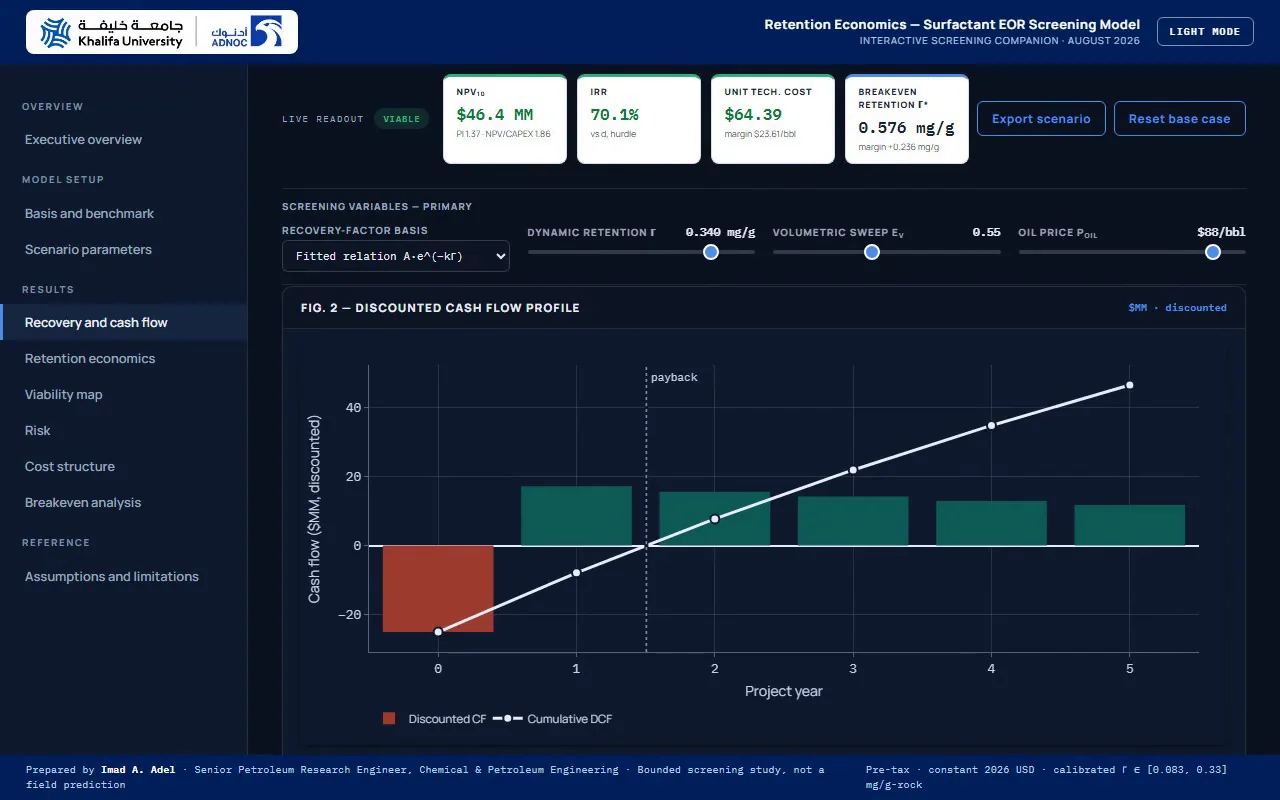
Retention economics cash-flow pane with the retention and price controls, financial readouts and discounted cash-flow plot.

Study 03

Retention Economics

Discounted-cash-flow screening that turns surfactant retention into net present value, return rate, unit technical cost and breakeven retention, on twelve corefloods, with adjustable assumptions.

Institutional research · Khalifa University / ADNOC

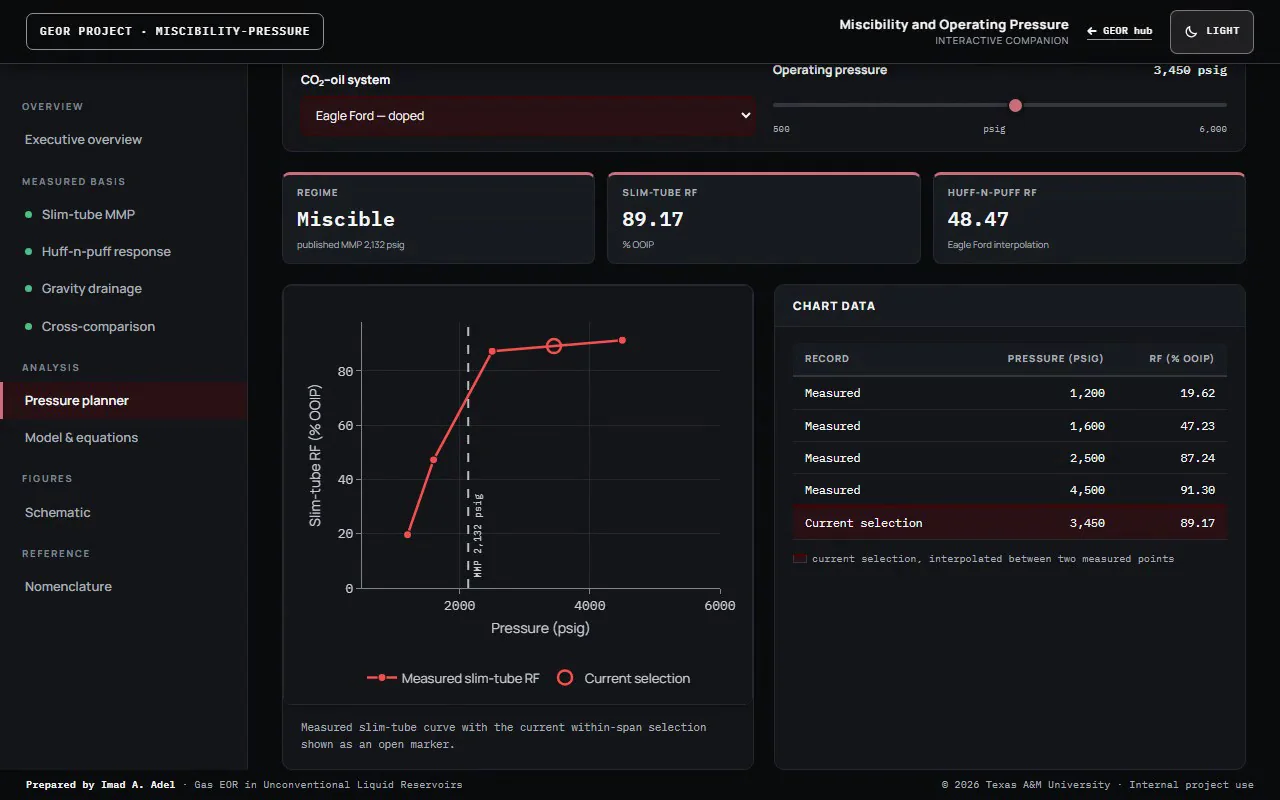
Operating-pressure planner with the pressure control, miscibility status, recovery curve and current-selection table.

Report 01

Miscibility and Operating Pressure

Slim-tube MMP across six CO2–crude systems, pressure-dependent huff-n-puff recovery, gravity-stable displacement, and an operating-pressure planner.

Institutional research · Texas A&M University

04 / Collection

Interactive Learning

Teaching companions with live calculations and worked explanations.

View collection · 4 projects →

4 selected projects

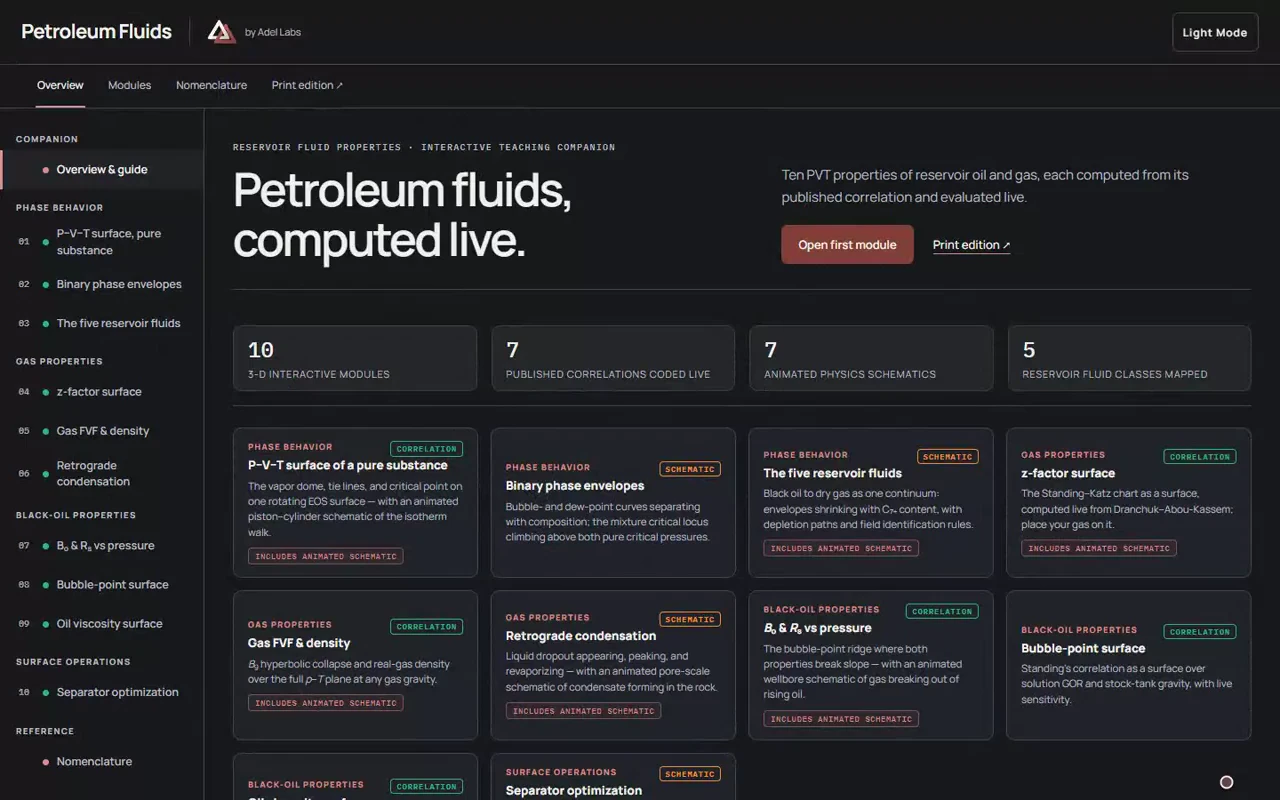
Petroleum Fluids companion in Adel Labs dark mode, with its LINK header, PVT introduction and ten interactive modules.

Learning resource · Teaching companion

Petroleum Fluids Teaching Companion

Ten interactive modules combine published PVT correlations with labelled schematic explanations. Change inputs, inspect the result and review the stated basis.

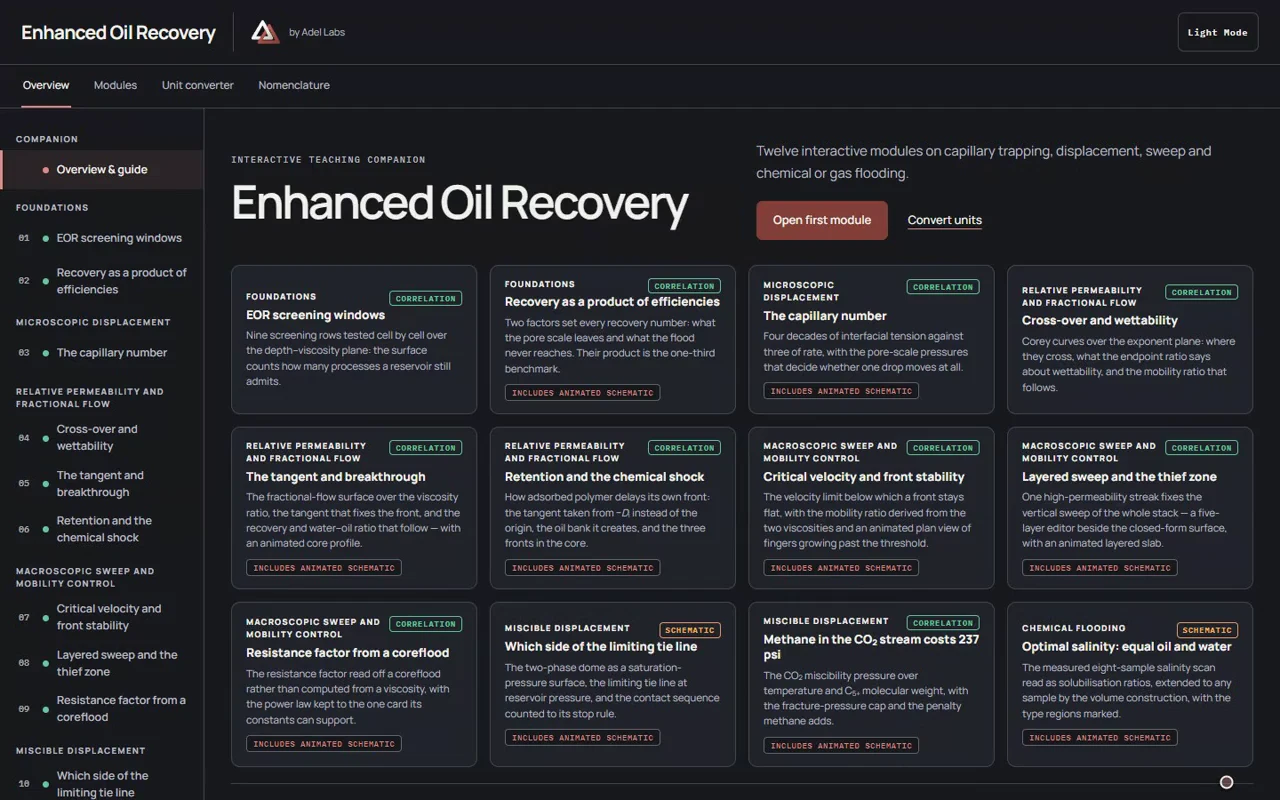
Enhanced Oil Recovery companion in Adel Labs dark mode, with its LINK header and twelve interactive teaching modules.

Learning resource · Teaching companion

Enhanced Oil Recovery Teaching Companion

Twelve modules on the mechanisms that mobilise trapped oil: capillary number, fractional flow, sweep, polymer, gas and surfactant processes, computed live.

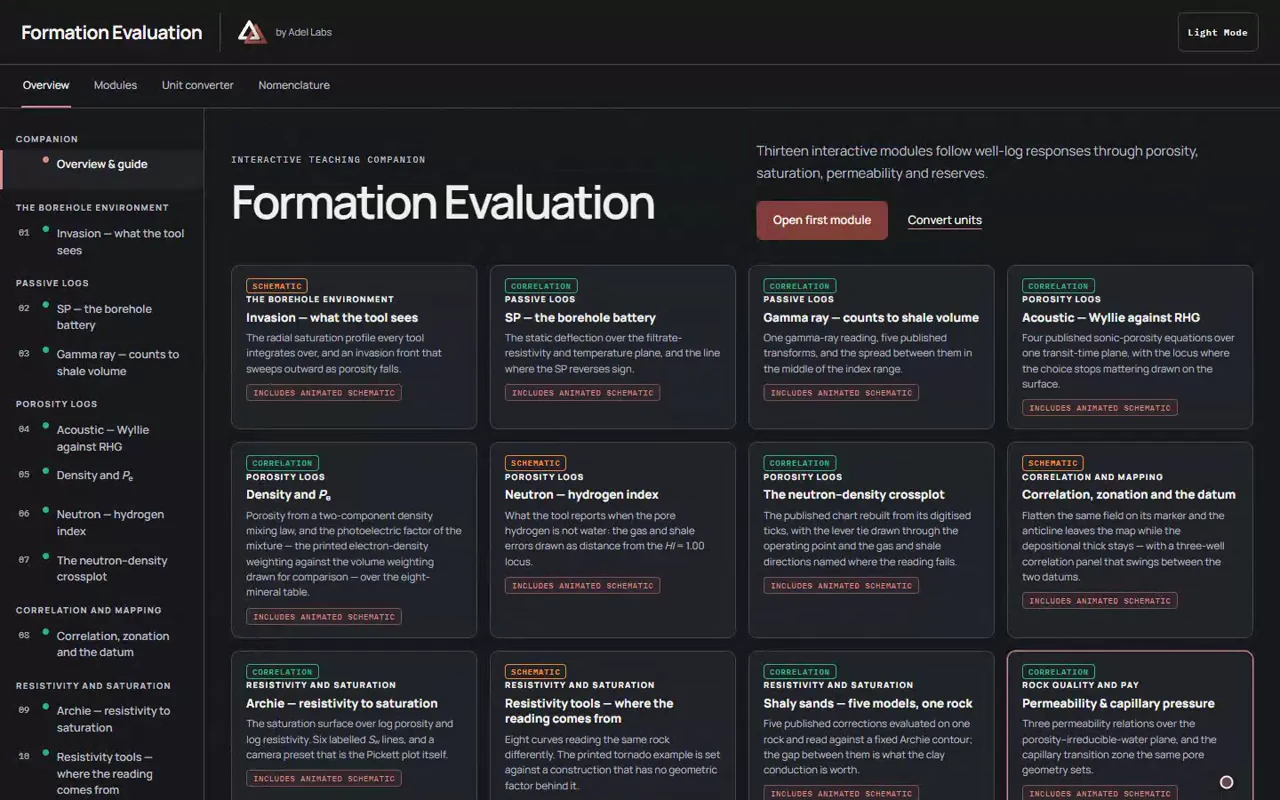
Formation Evaluation companion in Adel Labs dark mode, with its LINK header and thirteen well-log and petrophysics modules.

Learning resource · Teaching companion

Formation Evaluation Teaching Companion

From log response to net-pay and volume estimates. Explore invasion, resistivity, porosity and saturation with visible assumptions and worked calculations.

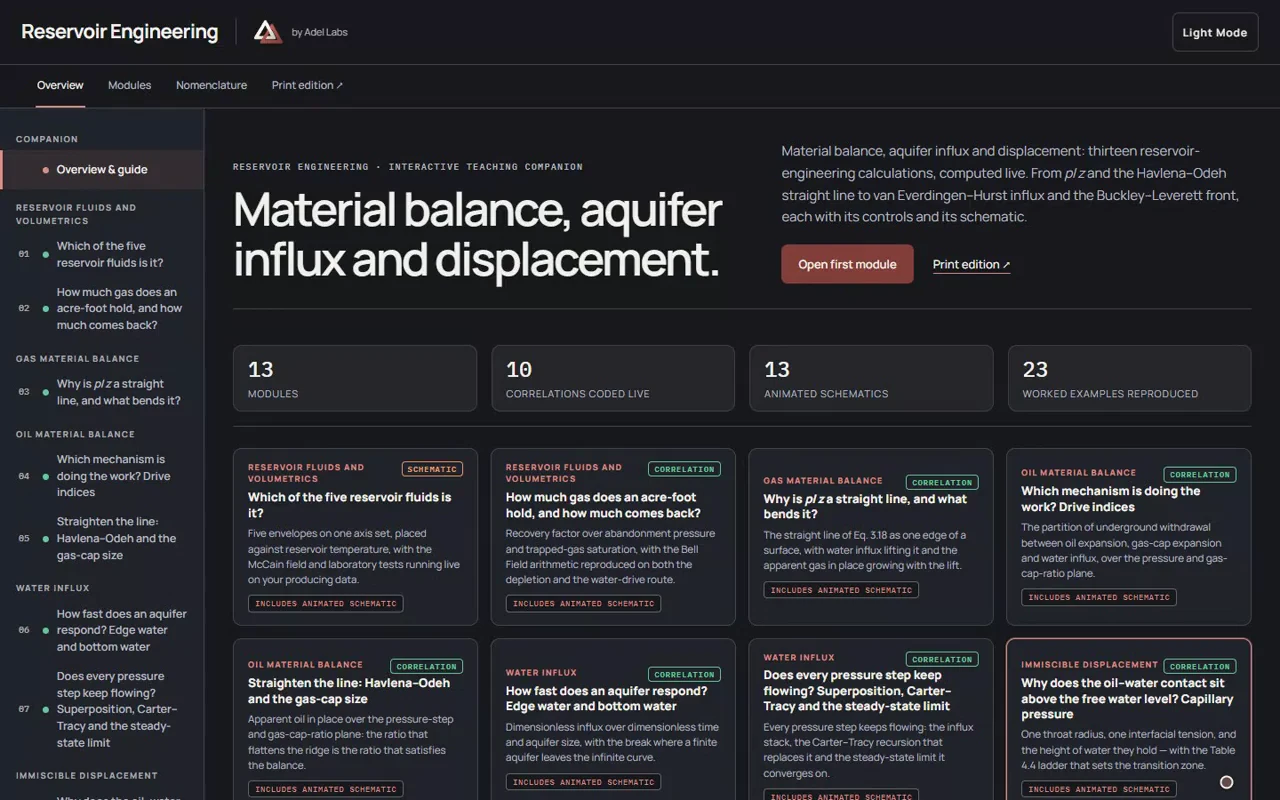
Reservoir Engineering companion in Adel Labs dark mode, with its LINK header, material-balance introduction and thirteen interactive modules.

Learning resource · Teaching companion

Reservoir Engineering Teaching Companion

Material balance, aquifer influx and displacement: thirteen reservoir-engineering calculations, each computed live beside its explanation and a visual model.

05 / Collection

Engineering Tools

Technical workbenches with visible inputs, units and exports.

View collection · 4 projects →

4 selected projects

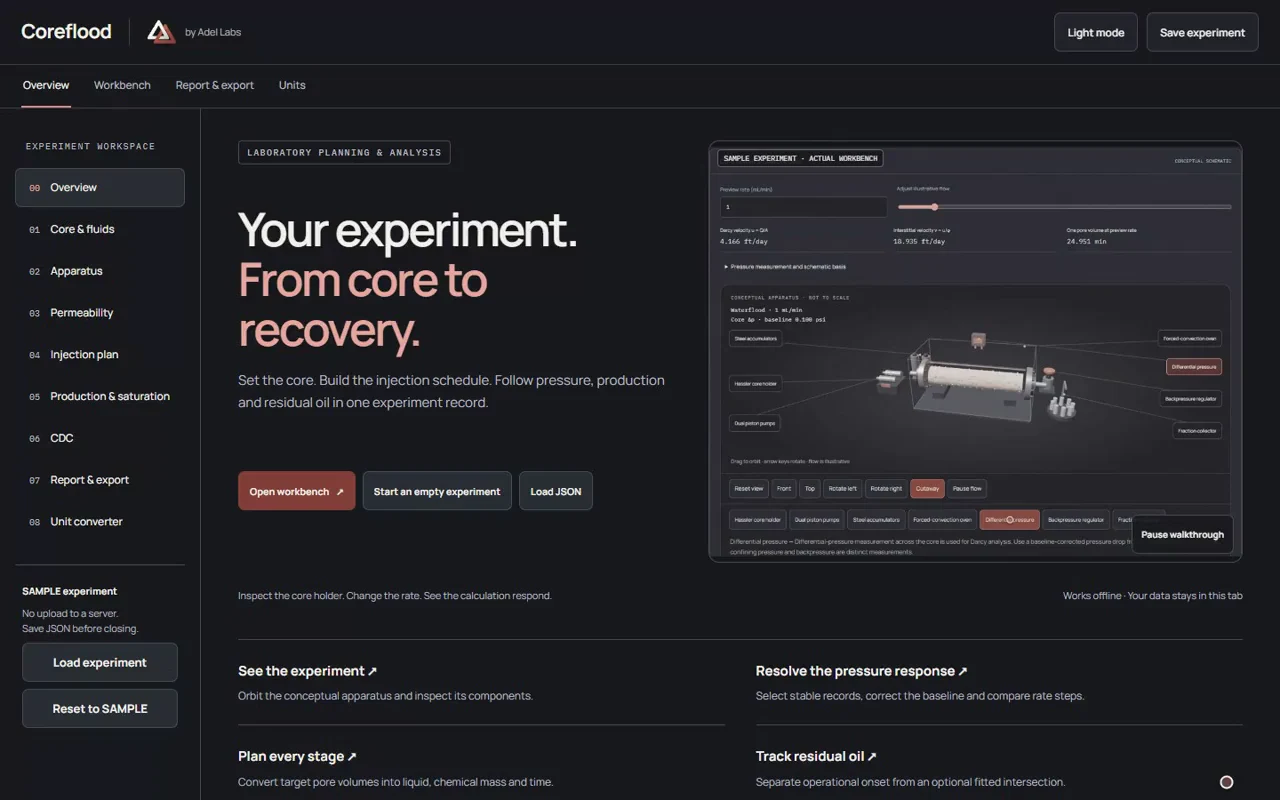
Coreflood opening page with the LINK header, experiment introduction and playing SAMPLE apparatus walkthrough.

SAMPLE workbench · Coreflood experiments

Coreflood

Plan and analyse laboratory coreflood experiments: geometry, permeability, injection, production and capillary desaturation. Editable SAMPLE data and local exports.

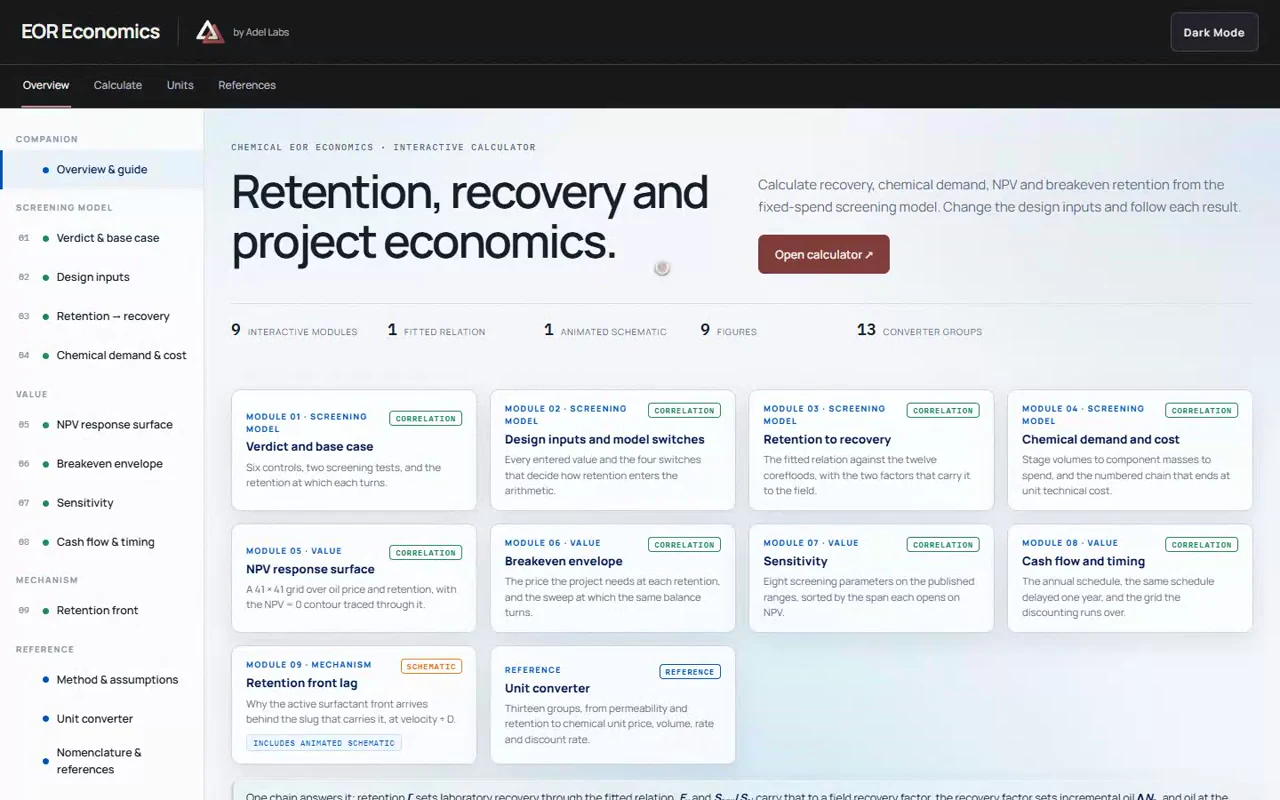
EOR Economics opening page with the LINK header, screening introduction and calculation modules.

Engineering tool · Calculator

Techno-Economic Screening Workbench

Fitted retention–recovery relation, chemical demand and unit technical cost, an NPV surface over oil price and retention, and the breakeven envelope.

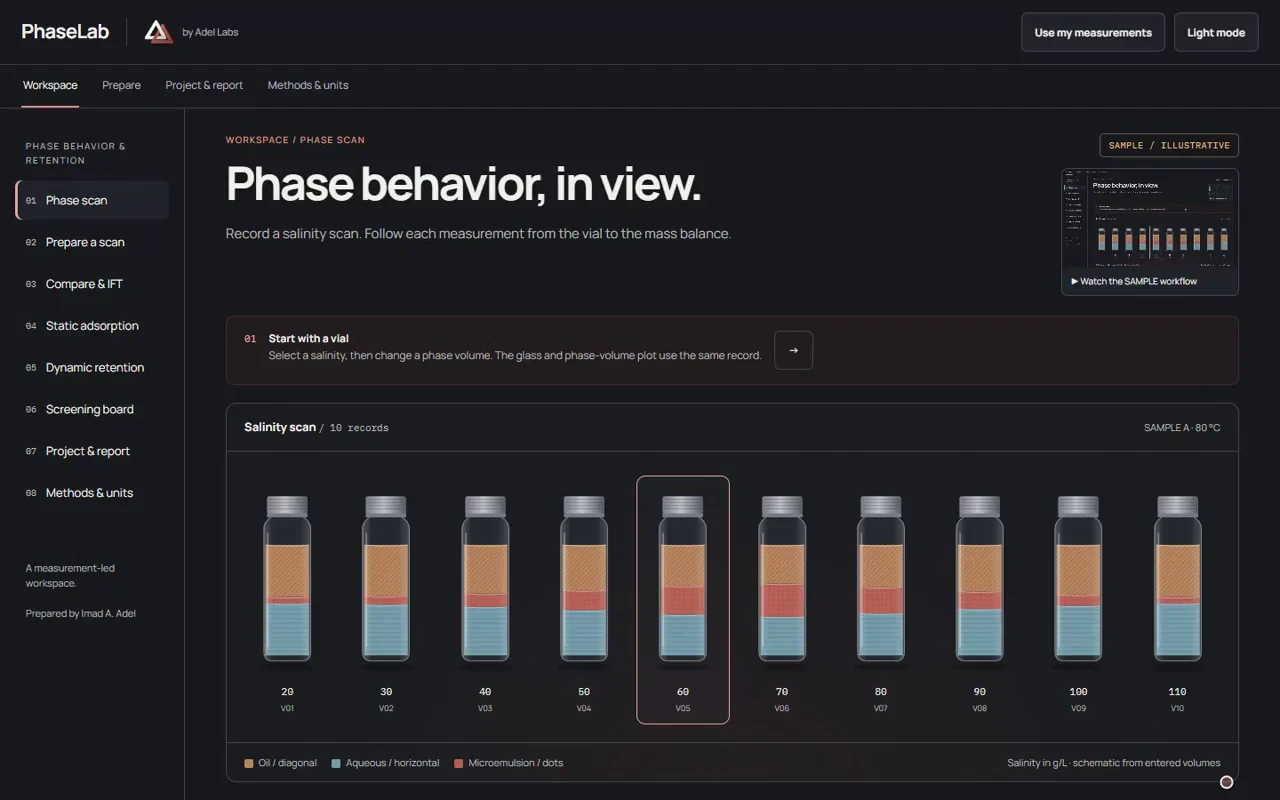
PhaseLab opening workspace with the LINK header and ten SAMPLE salinity-scan vials.

SAMPLE workbench · Phase behaviour

PhaseLab

A ten-vial phase scan with measured IFT, corrected static adsorption and dynamic retention balances.

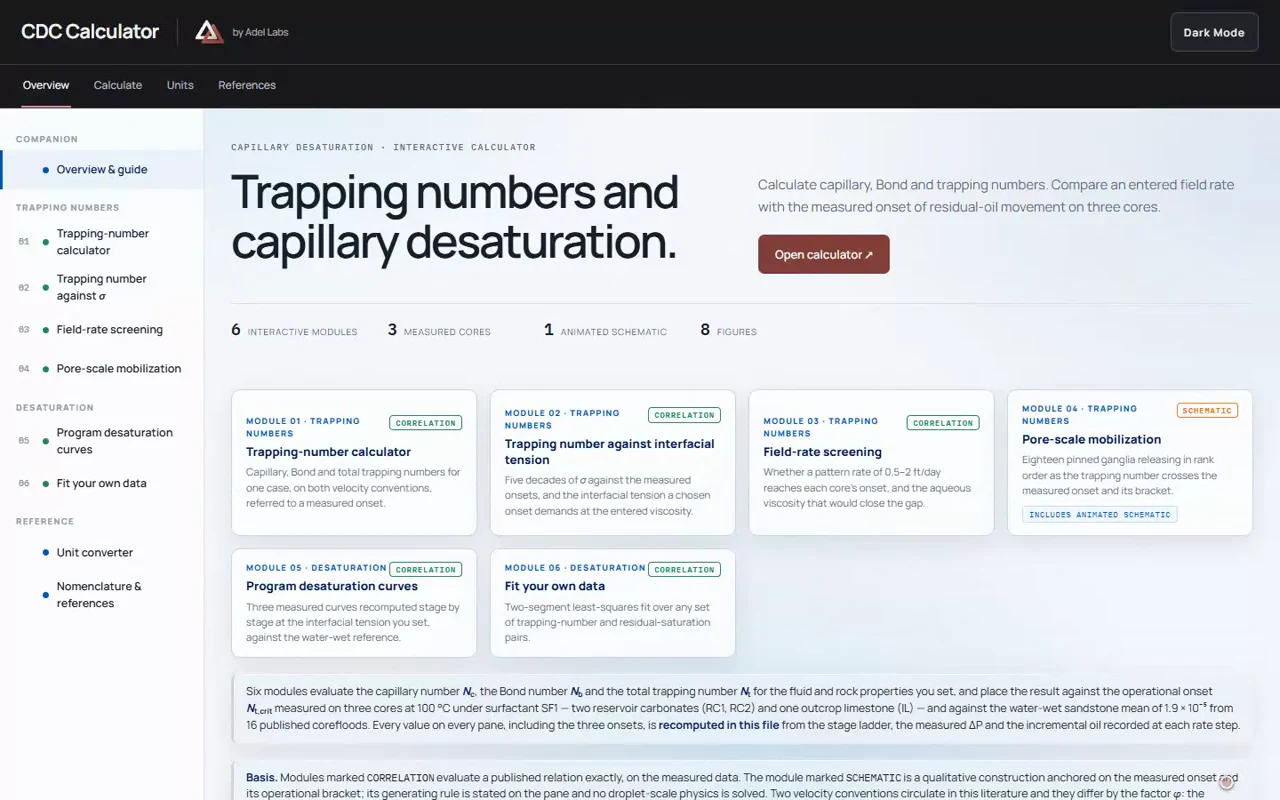
CDC Calculator opening page with the LINK header, trapping-number introduction and six calculation modules.

Engineering tool · Calculator

Critical Trapping Numbers and Capillary Desaturation

Compare trapping numbers on interstitial and Darcy bases, screen field rates against measured onsets, fit desaturation data and convert petroleum units.

What you can commission

What you can
commission.

From a brand and website to a configured development environment or a private research workspace. Commission the complete setup, with reusable workflows and the knowledge to operate it.

01 / Brand, websites & apps

A brand people recognise. A website they can use.

Commission your brand identity, website or personal app. Connect product information and clear navigation to the task your customers or colleagues need to complete.

What you receive

Brand assets, responsive pages or a working app, editable source and a walkthrough.

Explore brand, websites & apps →

02 / Agent setup & workflows

A development setup ready for your work.

Get Claude Code or Codex configured with specialist agents, reusable skills, project context and review steps. Repeat research, design and development tasks from a prepared setup.

What you receive

A configured environment, agent roles, skill library, workflow files and representative task checks.

Explore agent setup & workflows →

03 / Private AI & workspaces

Confidential work on hardware you control.

Search confidential documents and prepare cited drafts on your workstation or private server. Choose unrestricted research configurations when broader response behavior is needed.

What you receive

A model workspace matched to your hardware, access settings, documented data routes and tested workflows.

Explore private AI & workspaces →

04 / Research & engineering

Turn source material into a tool people can inspect.

Connect measurements, assumptions and calculations in a report, dashboard or technical tool. Package suitable workflows for offline use with local imports and exports.

What you receive

Visible inputs and assumptions, calculation checks, local import and export, and editable source.

Explore research & engineering →

Agents, skills & working methods

Specialist AI agents.
Built around your workflow.

Equip your team with AI agents for marketing, coding, design and research, configured around your brand, documents and working methods. Reusable skills provide task-specific procedures, templates and checks. For larger assignments, coordinated agents divide the work, review results and prepare a connected handover.

Marketing and search

Brand positioning and voice; search audits and content briefs.

Coding and product development

Debugging, interface implementation and site checks.

Design and creative production

Art direction, interface design, campaign and product content.

Research and verification

Source analysis, reference verification and numeric audits.

Reports and presentations

Technical writing, workbooks, presentations and interactive reports.

How agentic workflows work

Agentic AI carries out a sequence of tasks with tools and checks along the way. A skill supplies a reusable method; an agent applies it; a coordinated team divides a larger assignment between specialist roles.

Each setup uses a selected skill set, tested on representative tasks. Setup, testing and handover are included in the agreed scope; continuing maintenance is scoped separately. Connected development tools and fully offline model workspaces are separate configurations.

How the setup keeps its value after handover

A configured starting point

Keep the workflow.
Build on the setup.

The value continues after the first task: project context is organised, recurring procedures become skills, and specialist roles have defined review points. The setup is refined against your work, so you can reuse it and extend it.

Your hardware · Your data

Offline where
the work requires it.

Standalone apps and local model workflows can run on your equipment with no cloud processing or runtime connection for the agreed task. Local storage, access, backup and exports are part of the scope; the complete workflow is tested disconnected.

Provider-backed Claude Code and Codex configurations use connected model services. A fully offline model workspace is a separate configuration.

Private AI · Local processing & research

Your documents.
Your hardware.
Your research workflow.

Ask questions across your research library, trace answers to source documents, compare findings and prepare editable drafts in a workspace configured for your hardware. Model choice, document retrieval and offline operation are tested against your tasks before handover.

Optional unrestricted models are configured to reduce refusals. Source review and answer-quality checks remain part of the workflow.

  1. 01 / Library

    Your research sources.

    Organise the documents and references agreed for your workspace.

  2. 02 / Answers

    Follow the evidence.

    Scope source-linked answers and comparisons across the selected material.

  3. 03 / Review

    Inspect the analysis.

    Review findings and drafts against their sources before using them.

  4. 04 / Export

    Keep editable outputs.

    Define the document formats, source trail and export route at handover.

These are commissioned capabilities, configured and tested for the agreed task.

Unrestricted model implementation

Choose a model after the task is clear.

Assess quality, response time and operating cost on representative work.

Community variant

Qwen3.8-27B Abliterated

A candidate for document work, research and coding where reduced refusal behaviour matters. Validate the configuration against your tasks.

Implemented with Locus

DeepSeek V4.1-Flash

Private deployment with an optional abliterated configuration. The Locus implementation is complete.

Private AI · Unrestricted model implementation

Model choice and
published evidence.

Explore sensitive research questions, compare arguments and work with private documents in an environment you control.

What is an abliterated model?

An abliterated model is an open model whose internal weights have been modified to reduce learned refusal behaviour. It can answer more of the research questions that a standard model may decline.

We configure the model, your document workflow and the interface on suitable local hardware. Fully offline operation is available after the complete setup passes a disconnected test.

Fewer refusals do not add knowledge or guarantee accuracy. We assess answer quality alongside refusal behaviour using tasks that matter to your work.

Lead candidate · Local researchCommunity variant

Qwen3.8-27B

Abliterated

AdvBench refusal results reported by the variant author

0.19%Non-thinking mode1 refusal / 520 prompts
0%Thinking mode0 refusals / 520 prompts

Variant-author results using greedy decoding and keyword scoring. On HarmBench, non-thinking mode refused 45 of 393 prompts (11.45%); thinking mode was reported at 0%. Adel Labs did not run these benchmarks. Refusal rate is not an answer-quality measure.

Read the variant & test results ↗ (opens in a new tab)
Why start here

A candidate for research, document work and coding. We test the selected configuration on Locus hardware before recommending it for your workload.

Implemented with LocusPrivate model

DeepSeek V4.1-Flash

Private deployment

DSpark speculative decoding

An abliterated configuration can be scoped for research workflows that need fewer refusals. The implementation status is stated above.

DeepSeek V4.1-Flash includes DSpark speculative decoding. The referenced abliterated FP8 option preserves the bundled DSpark head.

Using it with Locus

We size the selected checkpoint, context length and number of users around your workload, then test the model with your documents and tasks.

01 / Research freedom

Explore sensitive questions.

02 / Private context

Keep documents local.

03 / Offline operation

Work without a connection.

04 / Model choice

Keep the model replaceable.

Choose where the work runs Local, cloud or hybrid

Deployment decision

Choosing the right architecture

Choose where
the work runs.

Compare data handling, expected usage and the work of operating each setup. Local, cloud and hybrid each fit different requirements.

Trade-offs between local, cloud and hybrid model deployment
The decisionLocal / on-premisesOwned or leased hardwareCloud / APIHosted models and computeHybridSplit by task and data
Data & offline accessKeep processing on site. Fully offline operation needs the entire workflow to run locally.Requires connectivity and agreement on provider location, retention and access.Keep sensitive tasks local. Define exactly what may leave for external processing.
Cost & workloadAssess against steady use; lease or hardware, energy and support costs continue when idle.Usage charges can suit occasional work and bursts; compare costs at your expected volume.Budget for local capacity, external usage and the work of connecting both.
Models & response timeChoose compatible open models within memory and concurrency limits. Benchmark your actual tasks.Access hosted models; account for rate limits, network delay and provider changes.Select models by task. Test quality, response time and the offline fallback.
Operations & ownershipAssign responsibility for updates, access, backups and hardware maintenance.Provider-managed infrastructure; your team still manages access, integration and output review.Maintain both environments, routing rules and recovery when a service is unavailable.

Start with the work. Then choose the architecture.

We compare representative tasks, answer quality, response time, data requirements and total operating cost before recommending a deployment.

Prepare a deployment brief ↗
On-site GPU rental with Locus Hardware, setup and responsibilities

Adel Labs × Locus

Private compute.
Without buying a server.

A private model environment without buying the GPUs upfront. Locus provides the leased infrastructure; Adel Labs builds the working system around your research and team.

Adel LabsModel setup & integration

The system your team uses.

We install the selected model, connect approved documents and tools, and test the agreed tasks. Your handover includes the interface, configuration and operating instructions.

From leased hardware to a research environment your team can operate.

Fully local. Offline when required.

Keep model inference, document retrieval and outputs inside your environment. For offline delivery, we test the complete workflow with the external connection disabled.

Capacity and pricing follow an assessment of the model, document length, concurrent users and support needs. Any remotely hosted option is scoped separately.

Compare local, cloud and hybrid →
Prepare a GPU deployment brief
Connect your knowledge or adapt a model Retrieval and task-specific training

Your data. Your way of working.

Answers grounded
in your documents.

Turn your personal database, company records and documents into a workspace that answers questions with relevant source material.

Prepare a workspace brief ↗

01 / Connected knowledge

Connect your knowledge.

Search approved documents and databases, retrieve the relevant passages, and review the sources behind an answer. Update the source material without retraining the model.

02 / Model adaptation

Adapt a model when the task requires it.

When a task needs it, fine-tune a compatible model on approved examples from your own work. Define the training data, target behaviour and evaluation before training starts.

Begin with your data, a task and examples of a useful answer. We assess the approach, access controls and deployment with you.

Project delivery

A result you can
review at each stage.

Scope, fees and timing follow the content, integrations, data handling and acceptance work involved.

01 / Scope

Define the scope.

Users, content, constraints and acceptance checks. A defined brief and delivery scope.

02 / Design

Review the prototype.

Review the structure with representative content. A working prototype you can assess.

03 / Build

Validate the workflows.

Check behaviour, boundaries and outputs. The agreed build and recorded checks.

04 / Handover

Complete the handover.

Review normal operation and responsibilities. Agreed source files, configuration, operating notes and a walkthrough.

Maintenance, updates and further development are scoped separately. Responsibilities are agreed before handover.

Prepare your project brief →
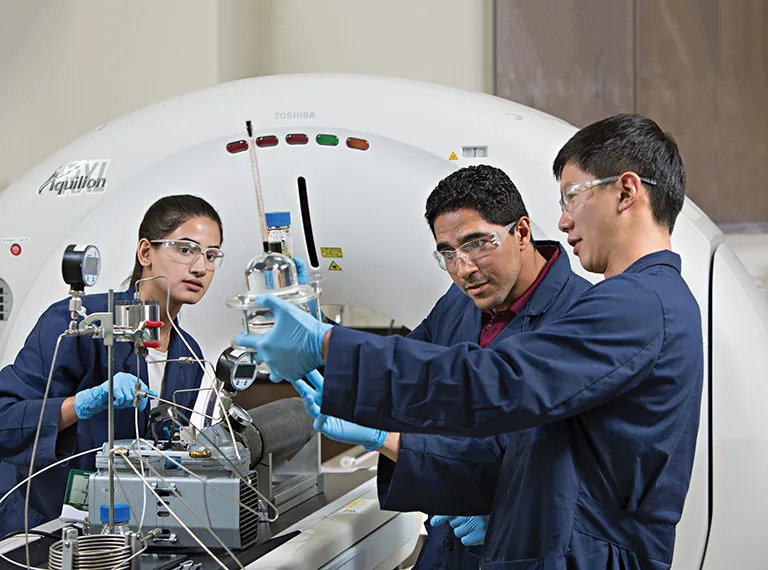
Imad A. Adel at a coreflood rig during gas-and-surfactant EOR testing.
Gas-and-surfactant EOR testing at Texas A&M, featured in the Journal of Petroleum Technology, 2017. Read the JPT feature ↗

Founder-led delivery

Work directly with
Imad A. Adel.

Senior Research Engineer · Digital product development

My research at Khalifa University within the ADNOC program centres on surfactant recovery in carbonate reservoirs. At Adel Labs, I bring that attention to evidence into websites, private workspaces and practical tools.

You review the work with the person building it, from the first scoped task through handover.

Before we begin

Before your project begins.

Is Adel Labs a fit for my project?

Adel Labs builds brands, websites, apps and interactive research tools, and configures agent workflows and private model workspaces. Start with what you need people to do; we define the deliverables and how the result will be checked.

How are the fee and schedule agreed?

You receive a proposal covering deliverables, fee, schedule and review points before work begins. If a technical question needs testing first, we can scope a prototype before committing to the full build.

Where will our information be processed?

We agree where your files are stored and which systems process them before setup. The workspace can use your own hardware, a private server or agreed external services. Any offline workflow is tested without an internet connection before handover.

Compare operating modes →
What do we own at handover?

The proposal identifies the source files, configuration, documents and access you receive. Third-party model and software licences remain applicable. You receive operating instructions and an agreed backup/export route.

What happens after launch?

Handover includes the agreed checks, operating instructions and a walkthrough. Ongoing support, maintenance, update testing and further development are scoped separately.

Your next project

Define your
next project.

Start with the task, who will use the result and what needs to improve.